

POS integration and reconciliation
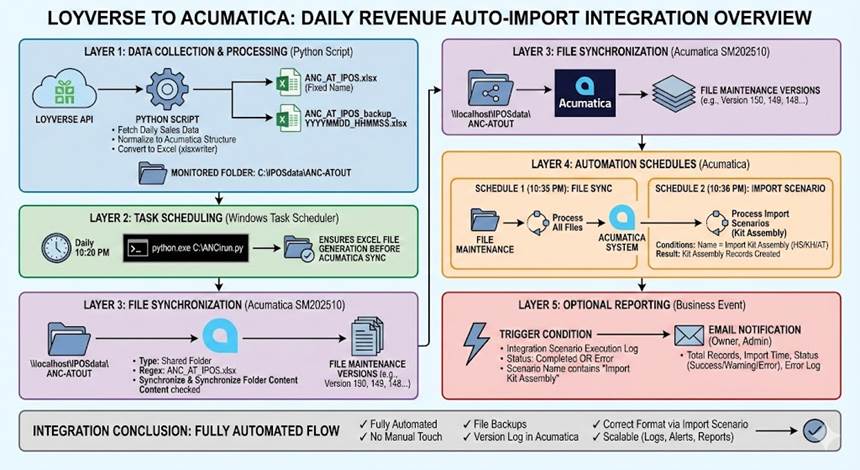
POS revenue by store, shift and item flows into Acumatica automatically each day, feeding ingredient backflush, revenue accounting and cash reconciliation. S4 connects S4 POS, Loyverse, iPOS and other common POS systems.
Revenue is only reliable once reconciled
The POS records transactions, but leadership needs revenue reconciled with banks, e-wallets and invoices. Integrating the POS with the ERP turns sales data into reliable financial data.
One data flow
Revenue from S4 POS or your current POS by store and shift.
Automatic reconciliation
Match revenue with banks and e-wallets and catch variances early.
Keep your POS
Integrate through S4 Integration Platform, no forced POS change.


From counter transaction to the books
An automated data flow you can monitor and adjust.
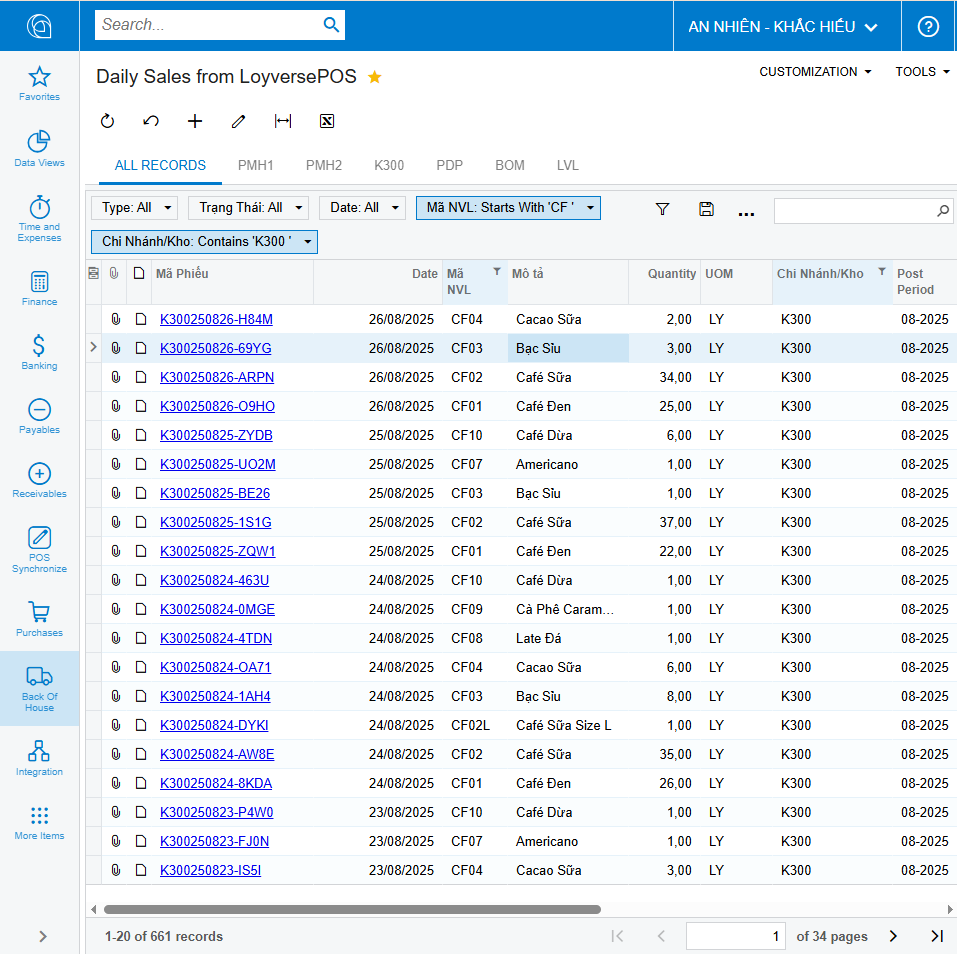
Automatic daily revenue import
POS revenue data is collected, processed and loaded into Acumatica on a schedule, by store and sales date.
- Scheduled automation
- By store, date and shift
- Errors logged for follow-up
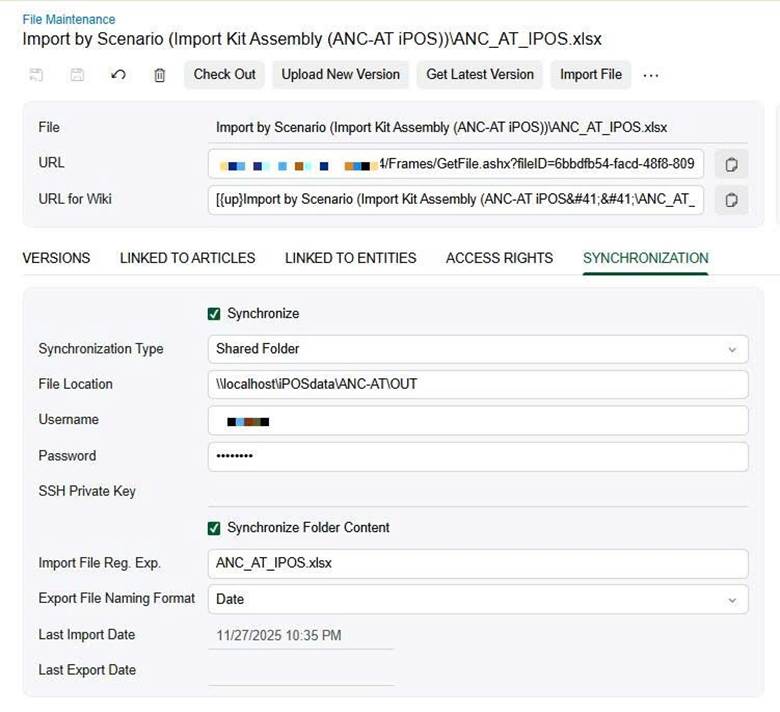
Import configuration in Acumatica
Acumatica import scenarios and data providers define how POS data maps into sales and backflush documents.
- Configurable data mapping
- No ERP core changes
- Easy to adjust when the POS changes
Daily revenue reports for reconciliation
Revenue by day, store and payment method helps accounting reconcile cash, transfers and cards.
- By payment method
- By store and shift
- Early variance detection
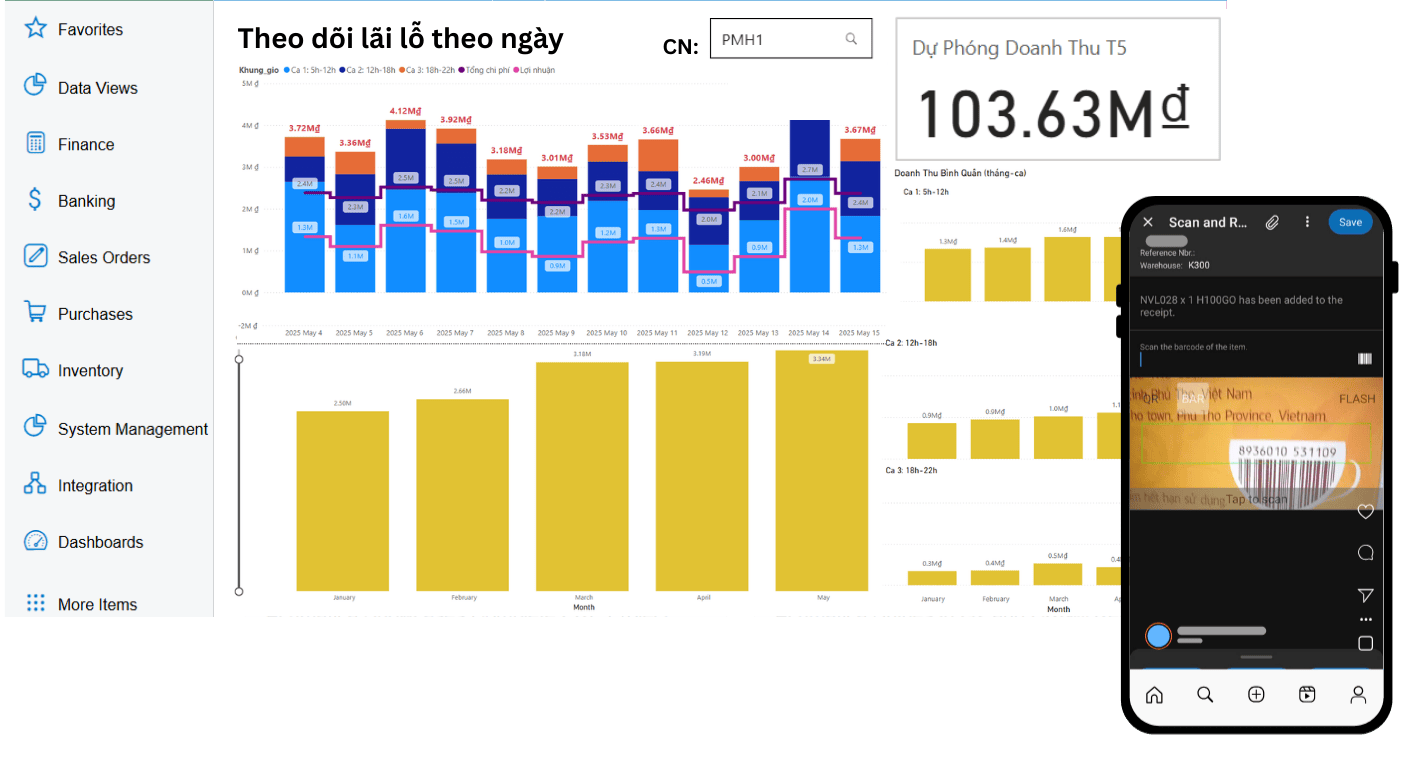
Daily revenue on mobile
Leaders see each store’s daily revenue as soon as POS data syncs.
- Mobile dashboards
- Store comparison
- Trend tracking
What POS integration includes
S4 POS
Pre-integrated with Acumatica
Loyverse, iPOS
And other common POS
Automatic import
Daily schedule
No-code platform
n8n integration workflows
Configurable mapping
No ERP core changes
Backflush
Ingredients deducted from sales
Payment reconciliation
Cash, transfer, card
Error log
Monitor and resolve
E-invoice & banking
On the same integration platform
Other features
Recipes & Backflush
Portions by item, size and topping · Deduct ingredients from POS sales
Barcode stock counts
Scan printed manufacturer codes · Phone or handheld scanner
Warehouse management
Warehouse, central kitchen, stores · With in-transit tracking
Central kitchen & MRP
Semi-finished goods in the kitchen · Production and purchase suggestions
Purchasing & suppliers
From stores and central kitchen · Agreed prices by supplier
Store P&L & dashboards
Daily, weekly, monthly · CEO, COO, area managers
Financials & multi-company
Multi-dimensional by store, region · Transaction reconciliation
Budgeting & cost control
Revenue and expenses · Variances by store
Zalo notifications
Triggered from Acumatica · No waiting on email
Shift & part-time payroll
Day, night, holidays · Social, health, unemployment
Vietnamese interface
Main business screens · Vietnamese or English
See it in Acumatica
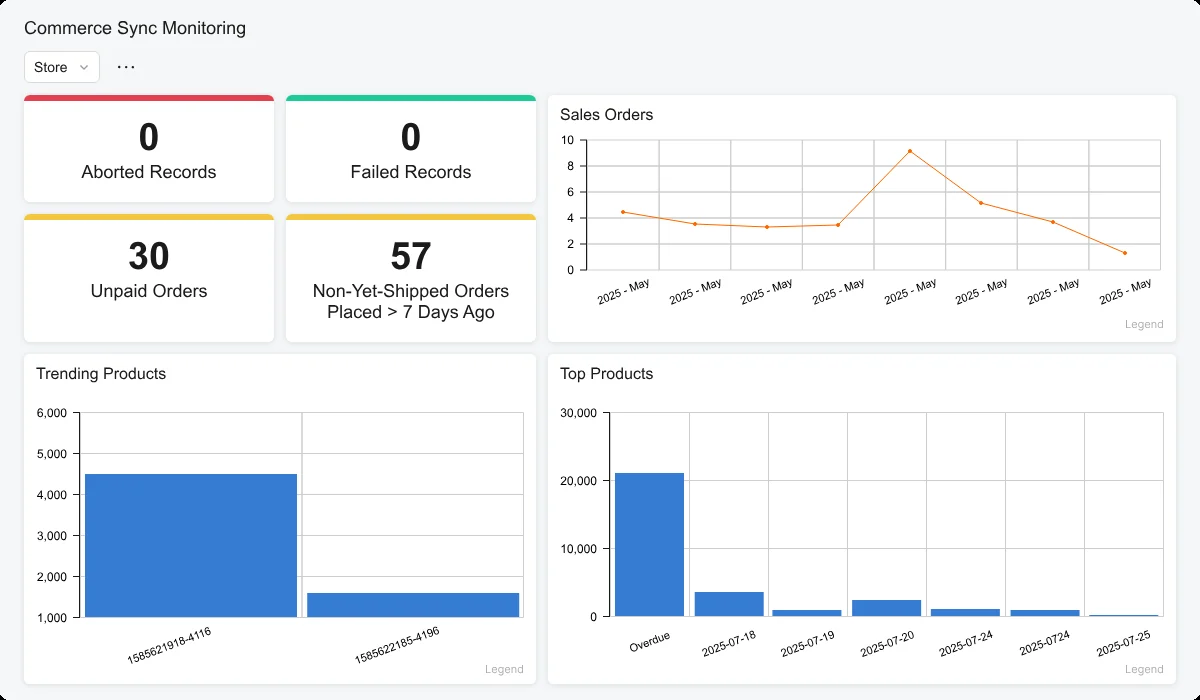
Acumatica screenshots with demo data.
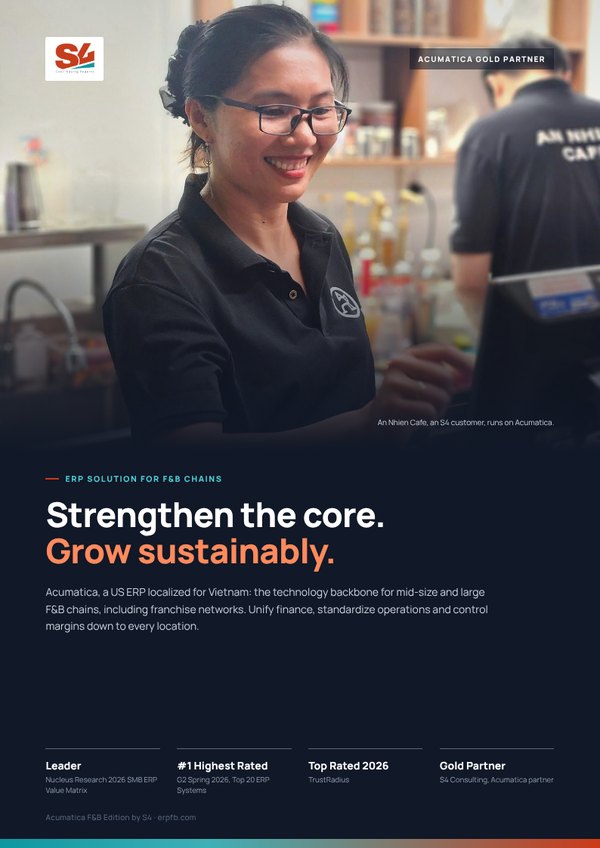
Acumatica F&B Edition by S4 brochure
Six pages for leadership: four capability layers, solutions by chain model and franchising, Vietnam compliance, the xRP platform, the An Nhien Cafe story and the Fast & Saving roadmap.
Frequently asked questions
Which POS systems can Acumatica integrate with?
How often does POS data reach the ERP?
Do we rebuild everything if we change POS?

 Gold Partner
Evaluate against your operating model
Book an Executive Briefing with Lac Pham or Nu Huynh to discuss goals, scope and the right rollout roadmap for your chain.