

Data from every counter flows straight into Acumatica
For chains with dozens or hundreds of locations, the value of a POS lies not in the cashier screen but in the quality of data reaching head office. S4 POS is pre-integrated with Acumatica and standardizes catalog, pricing and shift processes across the chain; chains on another POS can still connect through S4 Integration Platform without replacing it.



The counter sales lifecycle on S4 POS
From item catalog to shift close, running smoothly and in sync with Acumatica.
Catalog & pricing
Central item management, barcodes, lots and expiry dates, store-specific prices.
Store setup
A dedicated warehouse per store, real-time stock, role-based permissions.
Billing counter
Barcode scanning, automatic promotions, loyalty points, touch UI on POS, tablet and mobile.
Shift open / close
Record collections during the shift; at close, consolidate transactions into one invoice while keeping every receipt.
Functional description based on the S4 eSuite Point of Sale page.
S4 POS screens at the counter
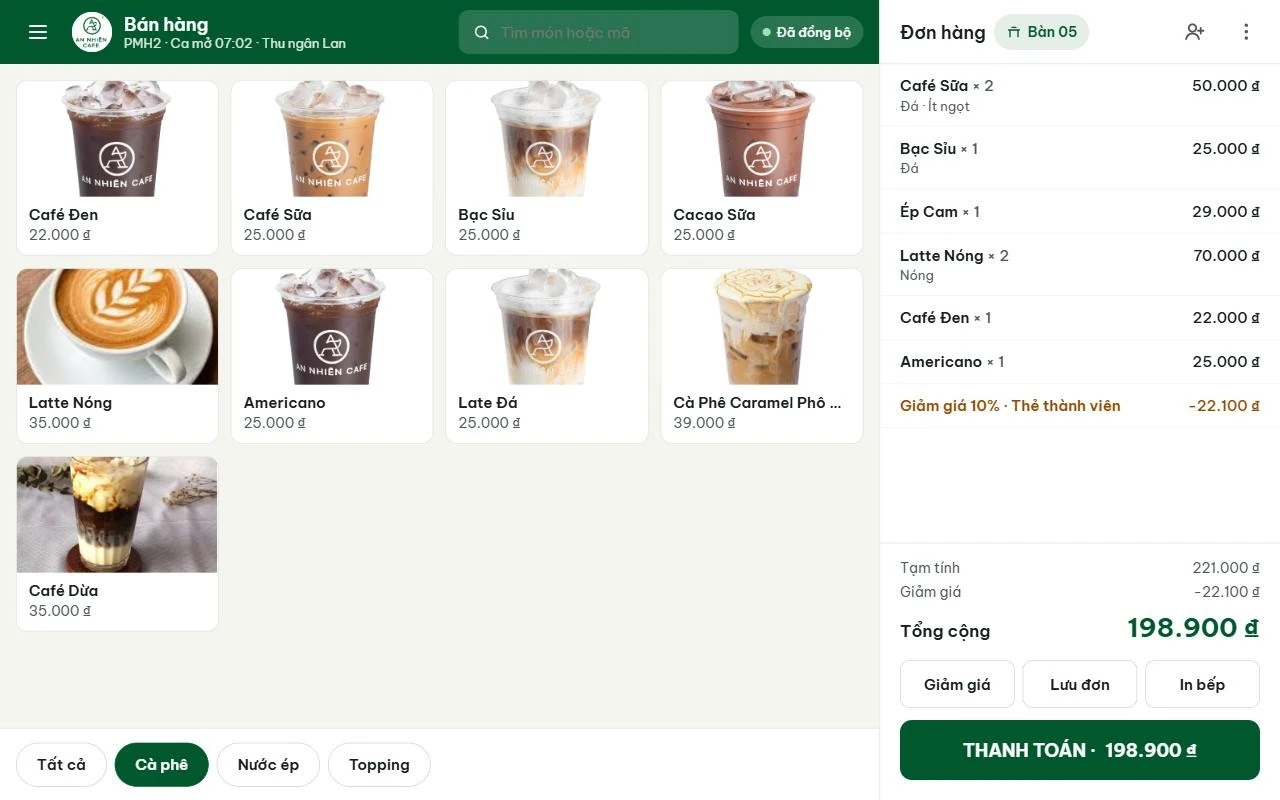
The three cashier screens used most during a shift: sales, table map and payment.
Fast ordering on a touch screen
Cashiers pick items by category (coffee, juice, toppings) or search by name or code. Orders are tied to a table, with notes per item and member discounts applied directly on the order.
- Notes per item: iced, hot, less sugar
- Member card discounts with automatic totals
- Save, send to kitchen and pay from one screen
- Shows the open shift, cashier and sync status
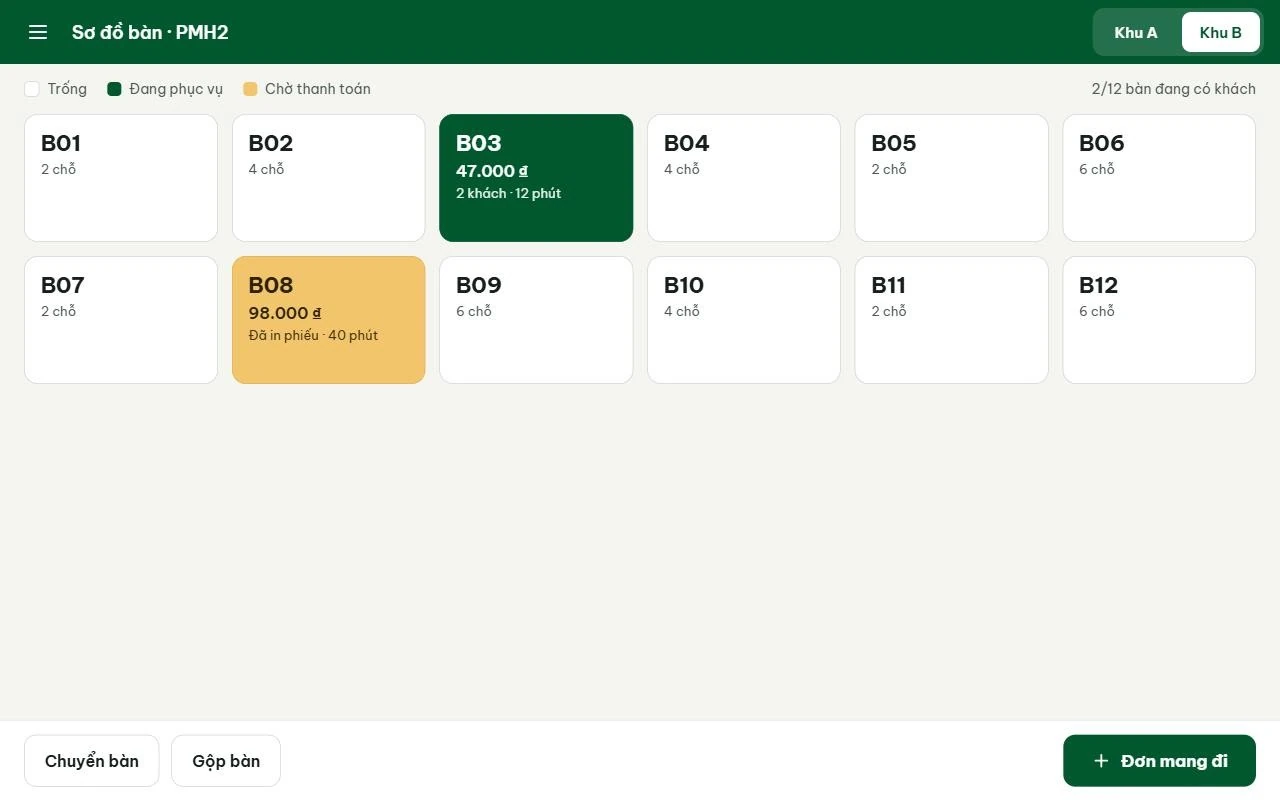
Tables managed by area
The table map shows which tables are free, being served or waiting for payment, with the amount and time seated. Shift managers see the store status at a glance.
- Areas A and B, seats per table
- Status colors: free, serving, awaiting payment
- Move or merge tables
- Start a takeaway order from the map
Cash and VietQR bank transfer
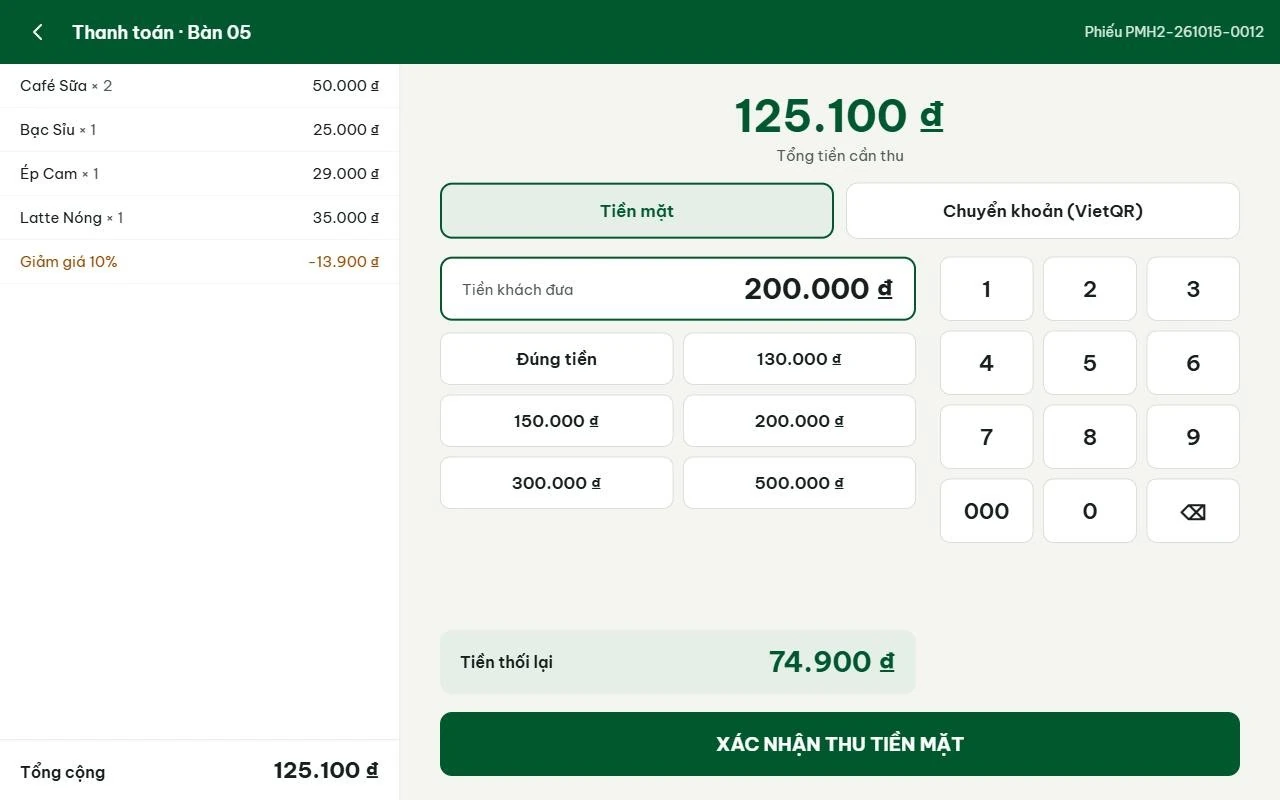
The payment screen shows order lines, discount and amount due. For cash, the cashier taps a suggested note or types the amount and the change is calculated automatically; customers can also pay by VietQR transfer.
- Suggested notes and an “Exact amount” button
- Automatic change calculation
- VietQR bank transfer
- Each receipt has a store-based document number for reconciliation
Replace your POS or keep it?
| Criteria | S4 POS (pre-integrated) | Current POS + integration |
|---|---|---|
| Best when | Opening new stores, or the current POS lacks stock and shift control | Staff are used to the current POS |
| Acumatica integration | Built in | Workflows on an integration platform (for example n8n) |
| Example | New F&B chains implementing with S4 | An Nhien Cafe: Loyverse POS - Acumatica via n8n |
| Data synced | Revenue, shift invoices, store stock | Revenue by store and shift; data for backflush and accounting |
| Scaling | More stores and counters on the same system | Add workflows for e-invoicing and banking |

Acumatica F&B Edition by S4 brochure
Six pages for leadership: four capability layers, solutions by chain model and franchising, Vietnam compliance, the xRP platform, the An Nhien Cafe story and the Fast & Saving roadmap.
Frequently asked questions
Is S4 POS integrated with Acumatica?
We use Loyverse or iPOS. Do we have to switch?
Which devices does S4 POS run on?
How is POS data posted at shift end?
More about ERP for F&B chains
Acumatica F&B Edition
Full F&B chain ERP functionality
Nucleus & awards
Why Acumatica is trusted
An Nhien Cafe case
3% lower cost of goods sold
Acumatica AI
AI Assistant, AI Studio, MCP
Unlimited users
No per-user license fees
Vietnam localization
Accounting, payroll, e-invoice, Zalo

 Gold Partner
Evaluate Acumatica against your chain’s operating model
Book an Executive Briefing with Lac Pham or Nu Huynh to discuss growth goals, entity structure, system architecture and the right investment roadmap for your chain.