


Labor cost to sales ratio per store: how F&B chains measure it
The labor cost to sales ratio is the total labor cost of a store - salaries, benefits, bonuses and employer insurance contributions - divided by that store’s actual sales for the same period. An F&B chain can measure it store by store when payroll cost is posted to the right store as soon as payroll is calculated and approved, and when sales come straight from the POS instead of being keyed in. With S4 eSuite Payroll running inside the Acumatica F&B edition, both sides of the division live on one platform.
This article uses the S4 Bistro demo - a fictional chain of 30 stores and a central kitchen in Thu Duc - to show how it works. All figures are demo data.
What is the labor cost to sales ratio and why do F&B executives ask about it every month?
It answers the question F&B executive teams ask most often: how much labor cost is each store carrying relative to the sales it brings in. Labor is a large restaurant cost that moves with shifts, seasons and peak hours. Calculated store by store, the ratio shows which outlets need a fresh look at rostering, staff mix or sales plans; a single chain-wide ratio tends to hide these differences, because strong stores offset weak ones.
In principle the formula is simple: total store labor cost divided by actual store sales for the same pay period. The hard part is the data. The numerator must include every cost of every person at the store, employer insurance included. The denominator must be the real sales of that exact store, not a budget. If either side arrives late, the ratio arrives late too.
Why is it hard for F&B chains to measure the ratio per store?
The main reason is that payroll data and sales data usually sit in separate systems, and payroll cost is only allocated to stores at month end. A chain with a large workforce runs several pay types at once: office staff on monthly salaries, store managers with sales bonuses, part-time service staff paid by the hour. Each brings its own variables - workdays, shift hours, allowances, bonuses, insurance and tax - so the payroll team spends a lot of time and errors creep in.
When payroll software stands alone, accountants export the payroll to spreadsheets, check which store each person belongs to, add employer insurance and only then allocate. Sales come from another source. Executives see labor cost by store only after the close, when the next month is already half over.
What goes into the numerator: how is a store’s labor cost recorded?
The numerator is the total cost of everyone working at the store in the period, which S4 eSuite Payroll posts to the right store when payroll is calculated and approved. In the demo, the source is the payroll cost by allocation target screen: each line is tied to a store and shows gross earnings plus the employer insurance share. Filtering Nguyen Hue - District 1 shows the full cost of the store manager, staff and part-timers without manual month-end allocation.
- Store manager: salary, benefits and a bonus of 1% of store sales, all on one payroll.
- Store staff: salary and benefits; insurance is calculated on the insurable salary, and the employer share goes to the right store.
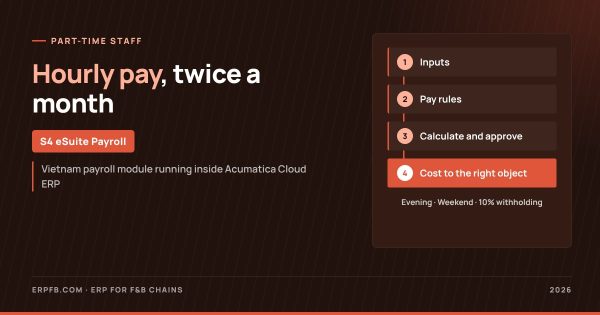
- Part-time service staff: paid by shift hours, engaged under service contracts so no insurance applies, with 10% withholding by threshold.
Insurance and personal income tax are calculated automatically on the store payroll. The employer insurance share is a real store cost; leaving it out makes stores with more permanent staff look cheaper than stores relying on part-timers. Pay for part-time staff is covered in part-time staff payroll for F&B chains.
See labor cost by store as soon as payroll closes
Contact S4 for a demo on your own data: payroll cost posted to stores and sales from the POS, on one platform.
Where does the denominator come from: how are actual sales synced from the POS?
The denominator is the actual sales of each store, synced from the POS into revenue documents in Acumatica rather than keyed in. Each line on the document is one store’s sales, linked to the store manager in charge. In the June demo data, total chain sales were VND 7,185 million. The same figure serves as the basis for the store manager bonus and as the denominator of the ratio.
When sales and payroll share one source, executives no longer reconcile two different sales figures from operations and HR. Syncing and reconciliation are described on the POS integration and revenue reconciliation page. The data flow through the payroll module is summarized below.
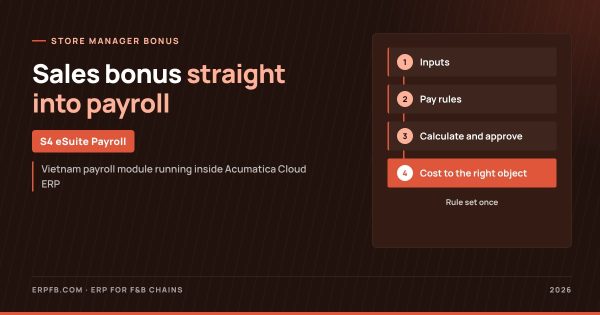
S4 eSuite Payroll flow for F&B chains
1. Inputs
- Shift hours synced from time-keeping software
- Store sales from the POS
- Office, store and part-time pay types
2. Pay rules
- Sales bonus rules set once
- Pay groups by store and central kitchen
- Statutory parameters with effective dates
3. Calculate and approve
- Monthly pay and twice-monthly part-time runs
- Insurance, PIT, 10% withholding
- Payroll approval
4. Outputs
- Labor cost by store
- Labor cost to sales ratio
- Executive dashboard
How do you read the labor cost to sales ratio per store in the S4 Bistro demo?
The table shows the June ratio of labor cost to actual sales for five stores in the demo. The ratio is calculated from store-level cost in the system and the store’s actual sales; it is a calculation on data already in the system, not a prebuilt report.
| Store (demo data) | Labor cost / actual sales, June |
|---|---|
| Cho Lon - District 5 | 26.0% |
| Bai Chay - Ha Long | 24.2% |
| Nguyen Hue - District 1 | 17.1% |
| Vo Van Tan - District 3 | 13.3% |
| Thu Dau Mot - Binh Duong | 12.6% |
Labor cost is fairly similar across stores, so the difference in ratio comes mostly from sales: the lower-sales store has twice the ratio, Cho Lon at 26.0% against Thu Dau Mot at 12.6%. Looking only at payroll totals, the stores look almost identical; only when cost sits next to actual sales does the efficiency gap appear. Read the ratio together with the per-store profit and loss dashboard.
What should executives do when a store’s ratio is high?
First, find out whether the ratio is high because labor cost went up or because sales are low, since the two causes need different responses. When payroll cost sits at store level and can be filtered to each person, area managers can see the structure: store manager, permanent staff, part-time hours and employer insurance. That gives a basis for discussing rostering by time slot, the share of part-time staff or a sales plan for the outlet.
Bonus structure matters too: a bonus tied to sales rises and falls with sales, while fixed allowances push the ratio up in low-sales months. Earnings are configured rules on the pay group, so changing a rate or coefficient needs no programming; the rule setup is explained in store manager sales bonus.
What does an F&B chain need to track the ratio on Acumatica?
A chain needs three things: every employee assigned to the right store or central kitchen, store sales flowing automatically from the POS, and shift hours synced from time-keeping software. With these in place, S4 eSuite Payroll calculates pay, insurance and tax and posts cost to each store within the period, on the same platform as accounting. Statutory parameters carry effective dates, so a change in law means adding a new line, not rewriting formulas.
Acumatica is an ERP for mid-sized and large companies and does not charge per user, so store managers and area managers can work in the system without per-head license costs. The payroll module for restaurant chains is introduced on payroll for F&B chains; the picture across construction, manufacturing and consultancies is in payroll software inside ERP on s4.com.vn. Every dong of labor cost lands on the right store, on one platform.
S4 Consulting, Acumatica Gold Partner in Vietnam, can run the demo on your own store data. Contact ERP@s4.com.vn or phone/Zalo (+84) 93 2724 396.
Frequently asked questions
How is the labor cost to sales ratio calculated?
Divide the store total labor cost - salaries, benefits, bonuses and employer insurance - by the store actual sales for the same period.
Do I need a separate report to see the ratio?
The ratio is calculated from payroll cost by store in the system and actual sales synced from the POS, so there is no need to merge data from two places.
Is employer insurance included in store cost?
Yes. S4 eSuite Payroll posts the employer insurance share to the right store together with each person gross earnings.
Are the S4 Bistro figures from a real customer?
No. S4 Bistro is a fictional name and all figures are demo data used to show how the system works.
Can store managers use the system?
Yes. Acumatica does not charge per user, so store managers and area managers can work in the system.