


Store manager sales bonus: set the rule once, flow into payroll
A store manager sales bonus in an F&B chain should be calculated from the actual sales of that store, under a rule set once and added to payroll automatically each period. With S4 eSuite Payroll on the Acumatica F&B edition, store sales sync from the POS, the bonus rule sits on the pay group and the bonus appears on payroll as soon as pay is calculated. The payroll team no longer has to request sales figures, multiply rates in a spreadsheet and key the results back in.
This article shows how the rule works in the S4 Bistro demo, a fictional restaurant chain of 30 stores where store managers receive a bonus of 1% of store sales. The figures are demo data; the bonus rate is a sample configuration, and each company sets its own policy.
How is a store manager sales bonus usually calculated?
The common approach is to multiply the store’s actual sales for the period by a bonus rate set by the chain. In the S4 Bistro demo, the rule is store sales times 1% as the store manager bonus. The store manager’s salary, benefits and this bonus sit on one payroll, so gross earnings, insurance and personal income tax are all calculated automatically in a single run.
A bonus tied to sales gives the person running the outlet a clear incentive, but it is only fair when the sales figure behind it is one that the store manager, operations and accounting all trust. If each side keeps its own numbers, every pay run can turn into a debate about the source data rather than about business results. So the important question is not the rate, but where the sales figure comes from and who can change it.
Why are spreadsheet-based sales bonuses slow and error-prone?
When payroll and sales sit in two systems, the payroll team has to request a sales report per store each period, check who manages which store, multiply by the rate and enter the bonus into payroll software. In a chain with many stores, one sales line from the wrong period, a store changing manager mid-month or a formula dragged one cell off is enough to produce a wrong bonus. Errors are often found only when the store manager receives a payslip and compares it with their own sales figures.
Standalone payroll software also means the bonus cost only reaches the right store when accounting allocates it at month end. Executives then learn both the bonus and the store’s labor cost late. It is the same root problem as measuring the labor cost to sales ratio per store: when data is disconnected, every people metric arrives after the fact.
Where does the sales figure for the bonus come from?
Each store’s sales sync from the POS into revenue documents in Acumatica, not keyed in by hand. Each line on the document is one store’s sales and is linked to the manager of that store. In the June demo data, total chain sales were VND 7,185 million.
Because the link between store and store manager is on the revenue document itself, the system knows who the bonus belongs to without a separate lookup table. How F&B chains connect and reconcile sales from outlets is covered on the POS integration and revenue reconciliation page. Sharing one source also means the sales figure used for the bonus is the same figure accounting records.
Sales bonuses that flow into payroll every period
Contact S4 for a demo on your own data: sales from the POS and a bonus rule set once.
How do you set up the store manager sales bonus rule once in S4 eSuite Payroll?
The bonus rule is set once on the store manager pay group: take the store’s sales from the revenue document, multiply by the bonus rate and post the result to the bonus earning. From then on, every time payroll is calculated, the bonus flows into each store manager’s payroll. Earnings are configured rules, so when the chain changes a rate or coefficient, the payroll team edits the parameter without programming.
| Store manager earning (demo) | Data source | How it reaches payroll |
|---|---|---|
| Salary | Employee record, pay group | Calculated automatically each period |
| Benefits | Earnings configured on the pay group | Calculated automatically each period |
| Bonus of 1% of store sales | Revenue document synced from the POS | Rule set once, added to payroll when pay is calculated |
| Insurance, PIT | Statutory parameters with effective dates | Calculated automatically on gross earnings |
Tax parameters carry effective dates too. Under Personal Income Tax Law 109/2025/QH15, for example, the personal deduction is VND 15.5 million per month and the progressive scale drops to 5 brackets, applied from the 2026 tax period. When the law changes, the system adds a new parameter line without touching the bonus or tax formulas.
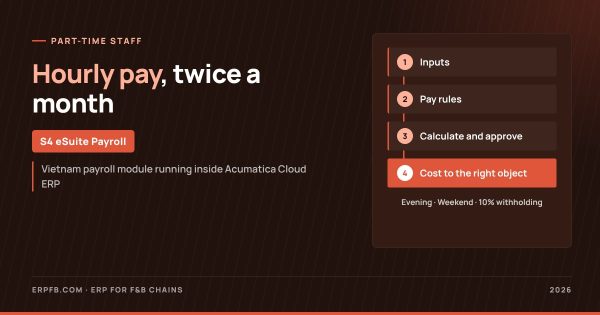
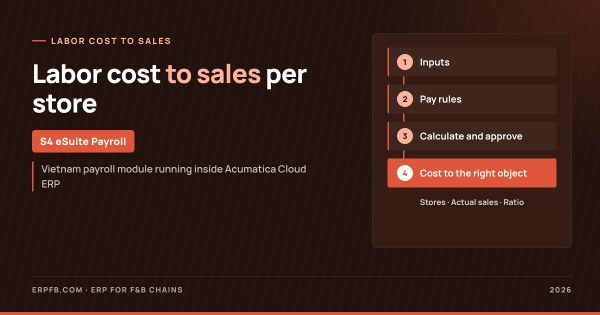
S4 eSuite Payroll flow for F&B chains
1. Inputs
- Shift hours synced from time-keeping software
- Store sales from the POS
- Office, store and part-time pay types
2. Pay rules
- Sales bonus rules set once
- Pay groups by store and central kitchen
- Statutory parameters with effective dates
3. Calculate and approve
- Monthly pay and twice-monthly part-time runs
- Insurance, PIT, 10% withholding
- Payroll approval
4. Outputs
- Labor cost by store
- Labor cost to sales ratio
- Executive dashboard
Where is the store manager bonus cost recorded?
The bonus cost, together with the store manager’s salary, benefits and employer insurance, is posted to the right store as soon as payroll is calculated and approved. In the demo, the payroll cost by allocation target screen shows each line tied to a store, with gross earnings and employer insurance; filtering one store shows the full cost of the store manager, staff and part-timers.
Because the bonus moves with sales, this cost follows the store’s business results. Executives can put labor cost next to actual sales to see each outlet’s efficiency and continue on the per-store profit and loss dashboard. Payroll has approval and history, so when a store manager questions a bonus, the payroll team can check it against that period’s revenue document.
Can store managers see their own sales and bonus?
Yes, because Acumatica does not charge per user, companies can give store managers accounts without per-head license costs. Companies can set permissions so store managers see their own store’s sales, and store managers receive bilingual payslips with a PIT breakdown by email. When sales and bonus come from the same source, explaining the numbers to store managers becomes much simpler.
Acumatica is an ERP for mid-sized and large companies, and S4 eSuite Payroll is a Vietnamese payroll module developed by S4 Consulting that runs inside it. The payroll module for restaurant chains is described on payroll for F&B chains, and the overall view across four industries is in payroll software inside ERP. For the wider F&B platform, see Acumatica ERP for F&B chains. Every dong of labor cost lands on the right store, on one platform.
Frequently asked questions
What data is the store manager sales bonus based on?
The actual sales of each store, synced from the POS into revenue documents in Acumatica rather than keyed in.
Does changing the bonus rate require programming?
No. The bonus is a configured rule on the pay group; changing a rate or coefficient only means editing the parameter.
Is the 1% bonus rate a recommendation?
No. It is the configuration in the S4 Bistro demo data; each chain decides its own bonus policy.
Is the bonus cost posted to the right store?
Yes. The store manager bonus, salary, benefits and employer insurance are posted to the right store as soon as payroll is calculated and approved.
How do store managers receive payslips?
Bilingual payslips with a PIT breakdown are emailed to each person.